Introducing Handle Chat: use Handle without Slack
Work with your Handlers in your browser, answer questions and review results — without needing Slack.
You shouldn’t have to adopt Slack to work with a Handler. A Handler is an AI agent you give work to: you hand over a task, it gets on with it, and it comes back to you when a decision is needed. Handle Chat gives you a dedicated place to do that — hand over work, answer questions that need your judgement, review the result — in your browser, on your desk or in your pocket.
Handle originally worked through Slack, which kept teams that don’t use it out of the full Handle experience. Handle Chat is built for people who don’t have Slack: a place to talk through work, share files, and unblock your Handler, without asking anyone to change how their team communicates.
Working with a Handler
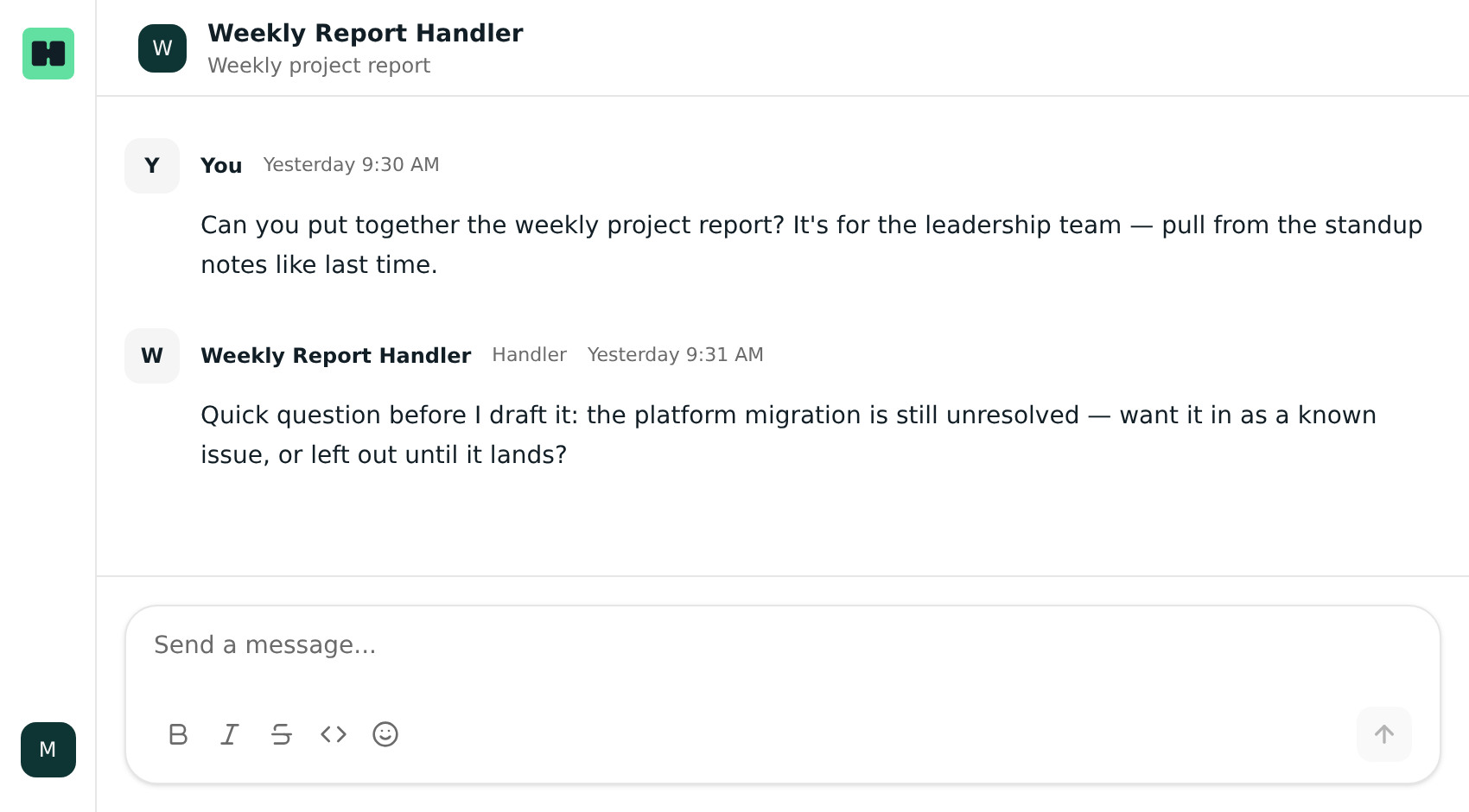
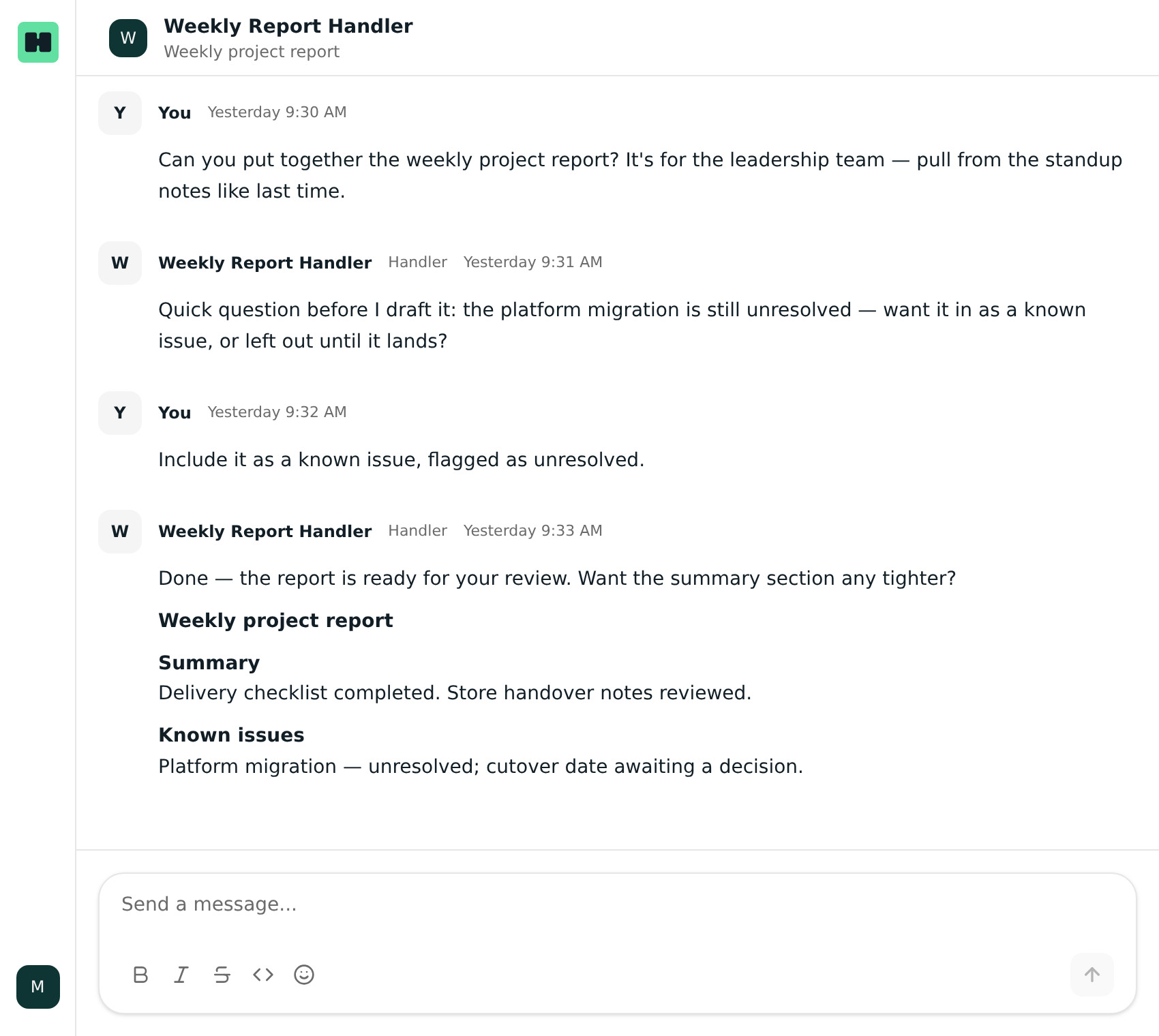
Handlers are built for asynchronous work, but handing over a task is only part of it. Sometimes the next step depends on a decision from you. Chat gives you a place to pick up that conversation: read the question, give your answer, and come back later to review the work. You don’t need to sit in the conversation all day, but your judgement still matters when the Handler needs it.
For example, if you ask a Handler to prepare a weekly project report, you might tell it who the report is for and where to find the notes it should draw on. If partway through the week it asks whether to include an issue that’s still unresolved, you can answer from Chat when you’re available, and the work keeps moving. When the report comes back, you can ask it to make that section clearer — you don’t have to explain the whole task again.
If your team already uses Slack
Nothing changes there. Your Handler keeps working with you in Slack, and Chat is simply a dedicated home for your work with Handle when you want one. It’s not a replacement for Slack, and it isn’t a bridge between the two — conversations in Chat live in Chat, and conversations in Slack stay in Slack.
Getting started
Handle is invite-only. If you’ve been invited, you accept your workspace invite and sign in with an email code — no passwords to remember.
If you’d like to try Handle, get in touch at handle.work/contact.
Handle Chat is a web app, so there’s nothing to download from an app store. You can install it to your home screen for one-tap access on your phone or desktop.
While you’re away from Chat, your Handler can keep you posted — browser notifications let you know when something needs you, and tapping one takes you back to the conversation that was waiting for you. (Supported browsers.)
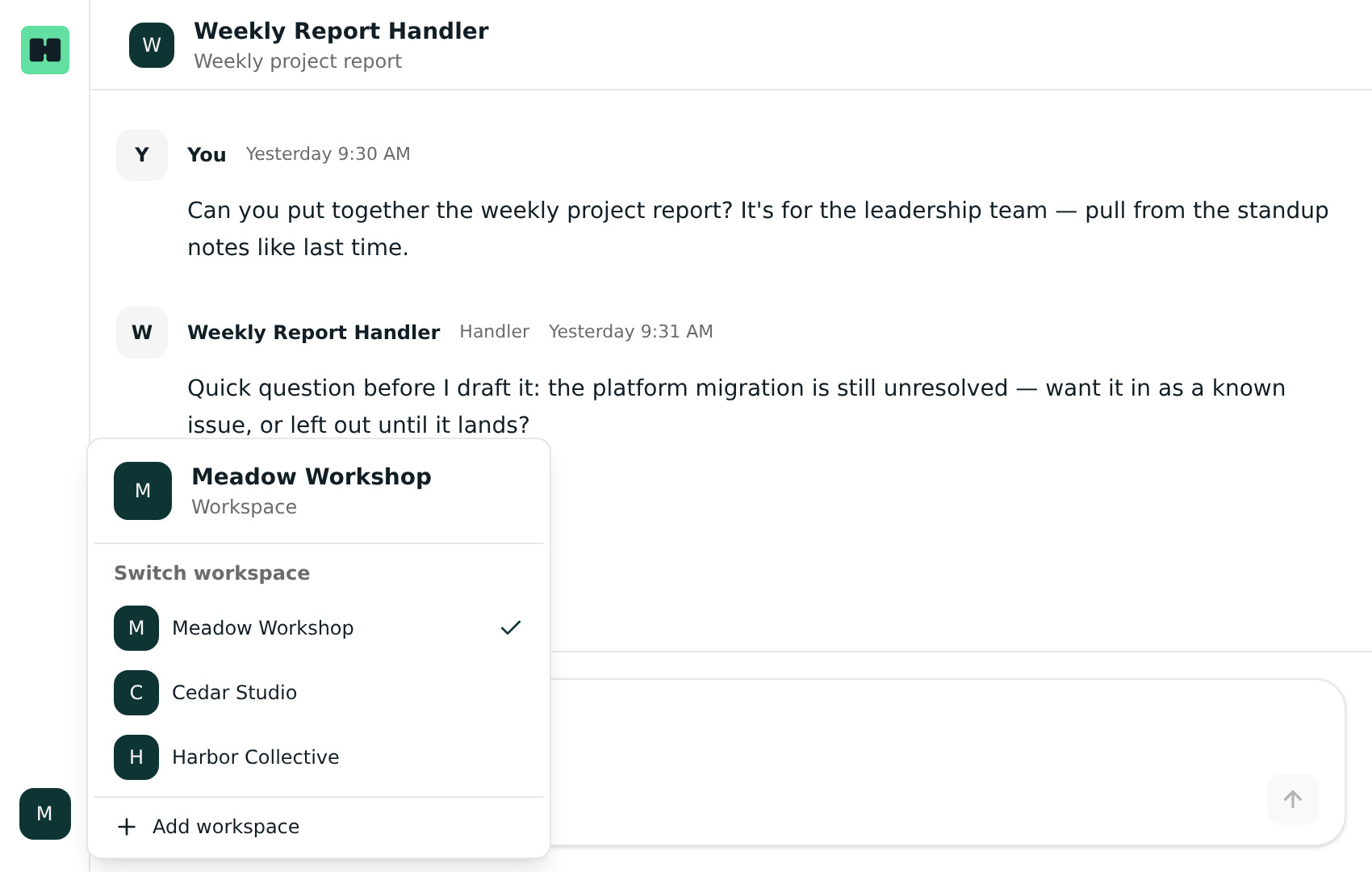
And if you work across more than one workspace — a few clients, or separate parts of the business — you can add them all to Chat and switch between them without signing out. Your conversations and Handlers stay with the workspace they belong to, and notifications carry the right workspace with them.
New to Handle? Ask your workspace to send you an invite.