Handbooks
Learn how Handbooks give your Handlers skills, tools, memories, and code tools to grow over time.
On this page
Handbooks are how your Handlers learn. They contain the skills, tools, and instructions that give a Handler its capabilities — from knowing how to draft an email, to integrating with Shopify, to remembering key details about your business.
Think of a Handbook as a living playbook. As your Handler works and grows, its Handbooks evolve too — new memories are formed, new tools are built, and new skills can be added by you at any time.
Getting to Handbooks
From the Handler Dashboard, click the Handbooks button at the top of the page.
Viewing Installed Handbooks
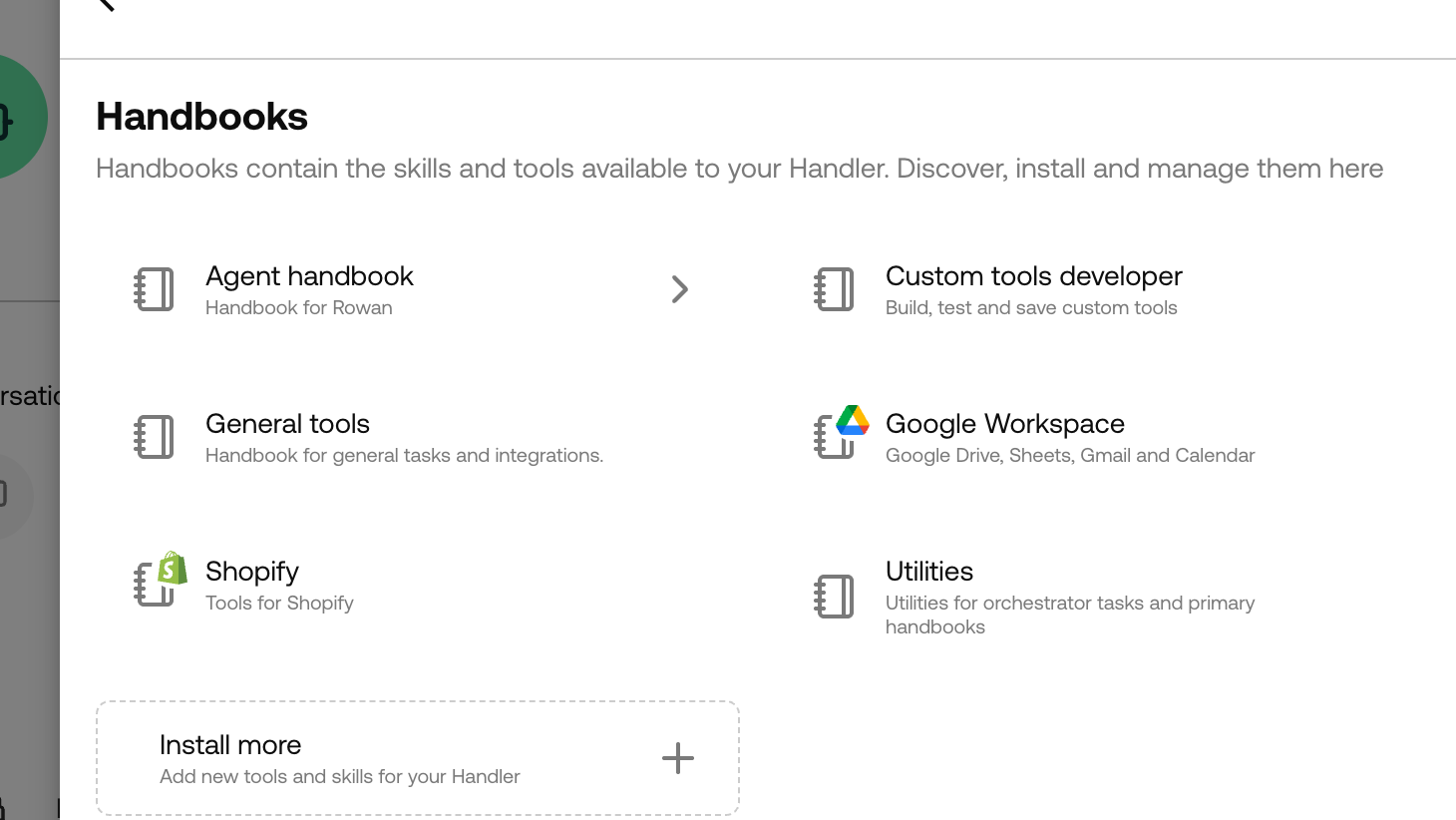
Once you’re on the Handbooks page, you’ll see everything currently installed. Each Handbook groups related entries together, making it easy to see what your Handler knows and can do.
Installing New Handbooks
Want your Handler to do more? You can browse and install additional Handbooks at any time:
- Navigate to your Handler’s Handbooks page
- Click Edit
- Search for Handbooks by name or description
- Click the + icon to add a Handbook to your Handler
Handbooks are filtered by your Handler’s engine, so you’ll only see compatible options.
Note: Handbooks can be installed but not uninstalled at this time.
Handbook Entries
Inside each Handbook, you’ll find individual entries — the building blocks that define what your Handler knows and can do. There are several types of entries, each serving a different purpose.
Skills
Created by: You Editable by: You
Skills are context pieces that your Handler can choose when to look up. They give the Handler access to relevant knowledge on demand — rather than loading everything up front, the Handler decides which Skills to consult based on the task at hand.
When creating or editing a Skill, you’ll provide:
- Title — A clear name for the skill
- Description — A brief summary of what the skill covers (this helps the Handler decide when to look it up)
- Content — The full skill knowledge and guidance
To create a new Skill, open a Handbook and click Create Skill.
Global Memory
Created by: Your Handler Editable by: You and your Handler
Global Memory is a single, shared file of knowledge that your Handler builds up over time through its conversations and tasks. It’s referenced everywhere — across all conversations and tasks — so anything stored here becomes part of the Handler’s persistent understanding.
Global Memory helps the Handler retain important context like business rules, customer preferences, or lessons learned.
You can review and edit your Handler’s Global Memory at any time to correct, refine, or expand on what it’s learned.
Code Tools
Created by: Your Handler Editable by: You and your Handler
Code Tools are executable functions that your Handler builds for itself to interact with external systems, process data, or perform specialised operations. They’re written in JavaScript and run when the Handler needs them.
Each Code Tool has:
- Title — The tool’s name
- Description — What the tool does
- Code — The TypeScript implementation
While your Handler creates these tools as it works, you can review and edit the code to fine-tune behaviour or fix issues.
How Handbooks Help Your Handler Grow
Handbooks aren’t just static configuration — they’re a living system. As your Handler takes on tasks and has conversations, it builds up Memories and creates Code Tools to become more effective over time. Combined with the Skills you author, Handbooks give your Handler everything it needs to deliver real value to your team.