Introducing usage metering and additional usage
See measured work across your workspace and by Handler, and add headroom for the Handler that needs it.
June is heavy for retail businesses. End-of-financial-year (EOFY) sales, stocktakes, and the operations that follow — the work doesn’t change, there’s just more of it. The usual answer is a temporary hire: find someone, train them on your processes, and wind them down eight weeks later. A Handler already knows the processes — the same Handler, with its established instructions and connections, simply gets more capacity to work with. You can watch its usage build through the season and purchase additional usage for that Handler alone when it needs headroom. And when the season ends, there’s nobody to retrain before the next one.
See usage by Handler
Usage history in Handle Chat shows credit usage for today, this week and this month, both across the workspace and for individual Handlers. The workspace total gives you the overall picture; the Handler figures show where to look more closely.
If one Handler accounts for more usage than you expected, consider the work you’ve assigned it. A busy season or a larger project may explain the change. If its workload hasn’t changed, its instructions may be worth another look. The figures help you decide where to investigate; they don’t explain the cause on their own, and they aren’t a count of tasks completed — credits reflect measured work, using the rate card in effect when it ran.
Usage rollups can take time to appear, and the detail available to you depends on your workspace role.
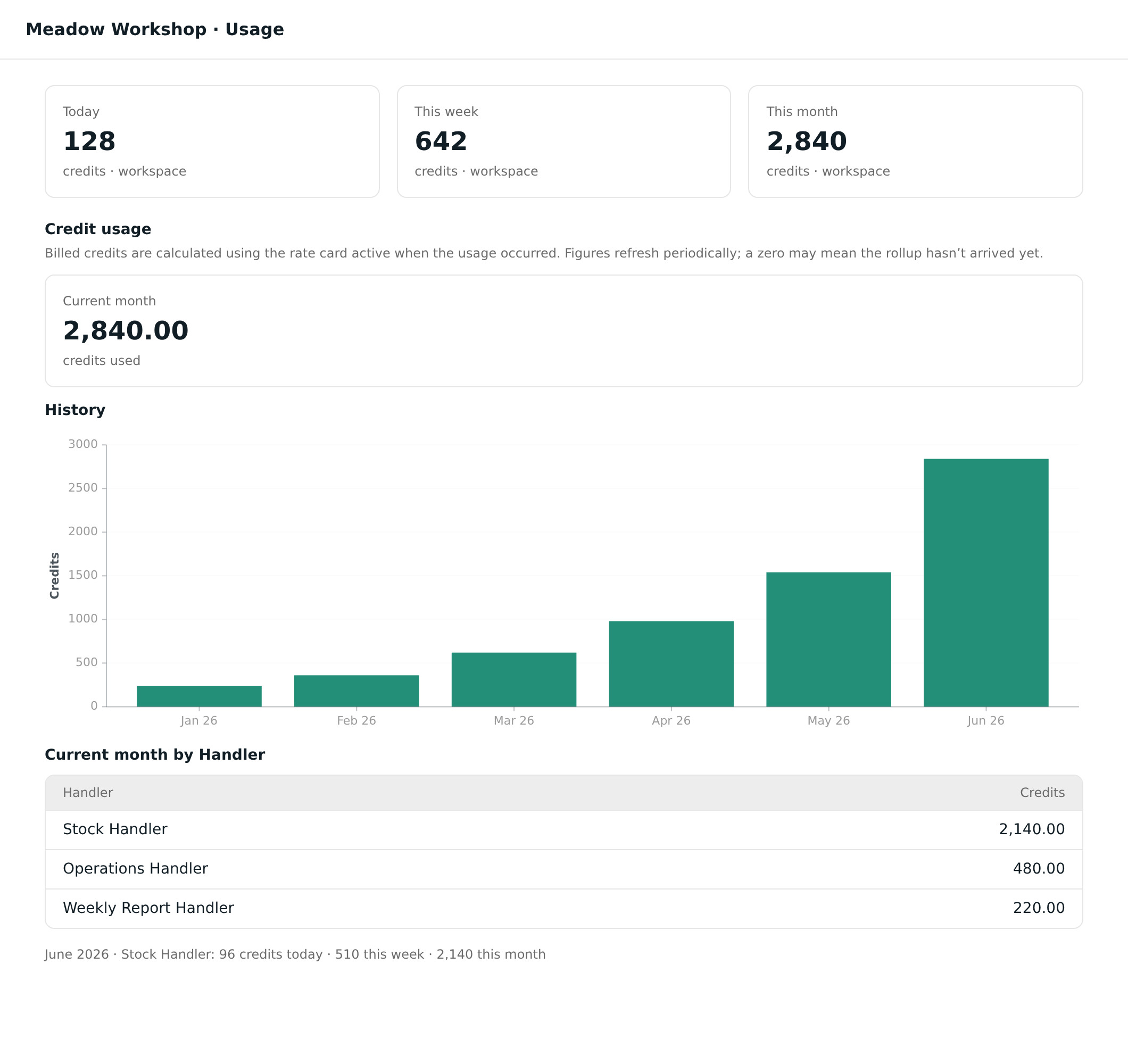
Add workload where it’s needed
This announcement describes additional usage as it worked on 6 October 2026. See Handler capacity for current sharing, billing and expiry details.
Additional usage used to be something we could only offer on enterprise plans. With usage metering, it’s available per-Handler: the Handler that needs it gets it, and the plans of everyone else’s Handlers are untouched.
For example, if you’ve given one Handler a larger project while the others continue their usual work, you can check that Handler’s credit usage in Chat. If the additional work calls for more workload, you can purchase additional usage for that Handler alone. The other Handlers’ plans stay unchanged.
Conversations aren’t just between you and your Handler. Mention a teammate and they’re added to the conversation — useful when a decision needs a second opinion or someone new needs the context.
Alongside this, workspace admin settings received some refinements, and we fixed a redirect hiccup when signing in from a workspace invite.
Usage history and additional usage are available now in Handle Chat.